Platform Structure
SNA Toolbox is organised into a hierarchy of accounts, projects, panels, and modules. Understanding this structure helps you locate any feature quickly and move efficiently through the platform.
How the platform is organised
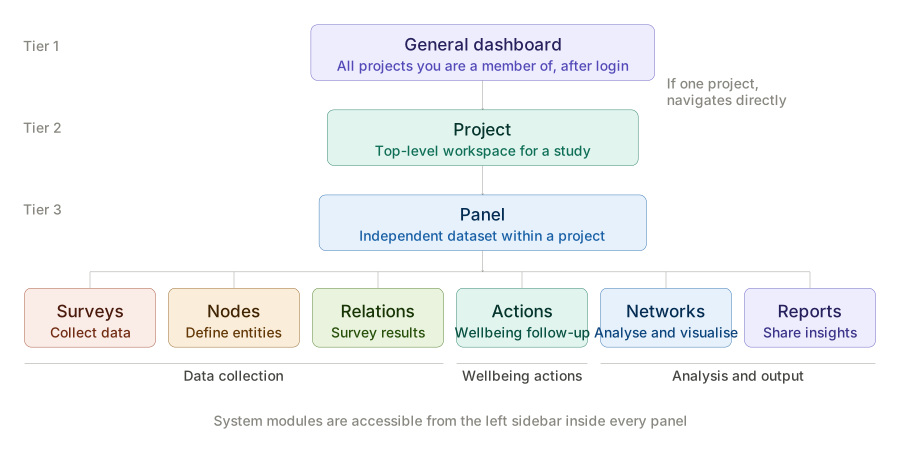
Every account contains one or more Projects. A project is the top-level workspace for a study or research activity. Within each project, data is divided into independent Panels — each panel holds its own nodes, surveys, networks, and reports. When you open a panel, the left sidebar gives you access to all six System Modules.
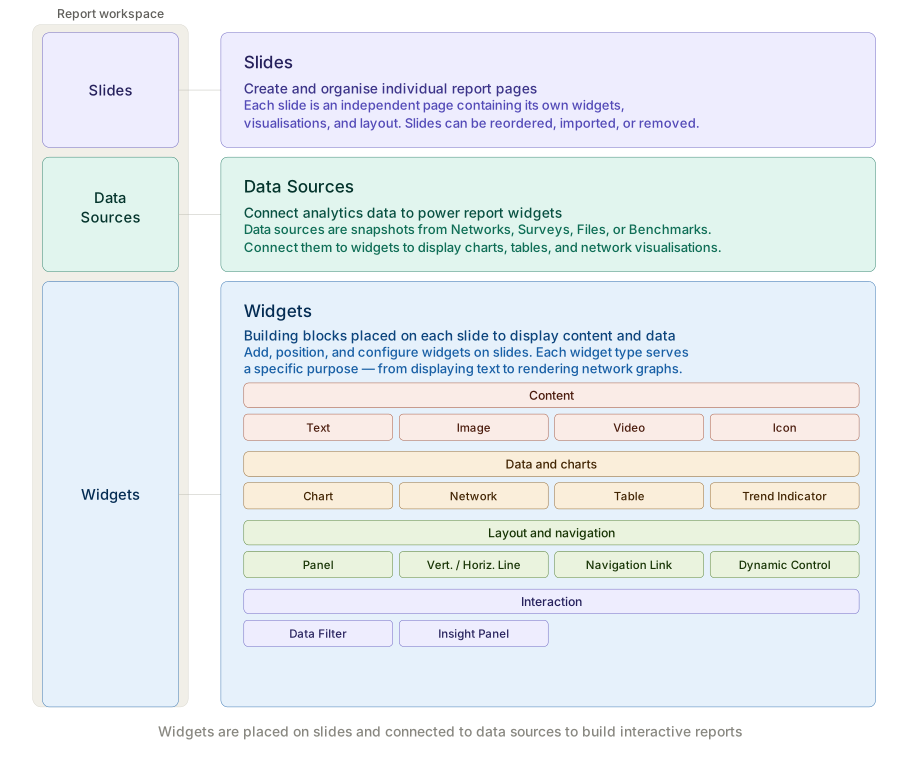
The path to any feature in SNA Toolbox follows this pattern:
Project and panel structure
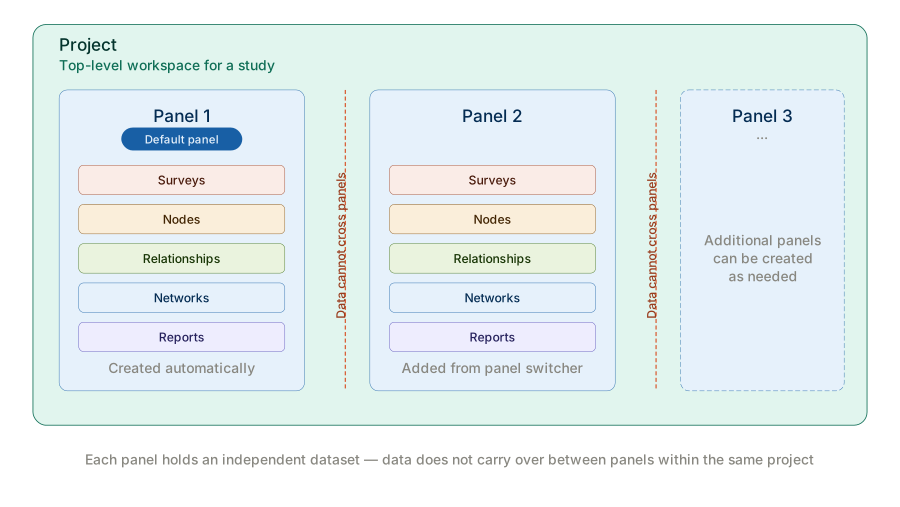
Each project is divided into independent Panels. A default panel is created automatically when a new project is set up. Additional panels can be created from the panel switcher in the left sidebar. Each panel is an independent dataset. Data in one panel — including nodes, surveys, relationships, networks, and reports — cannot be accessed from another panel within the same project.
System modules
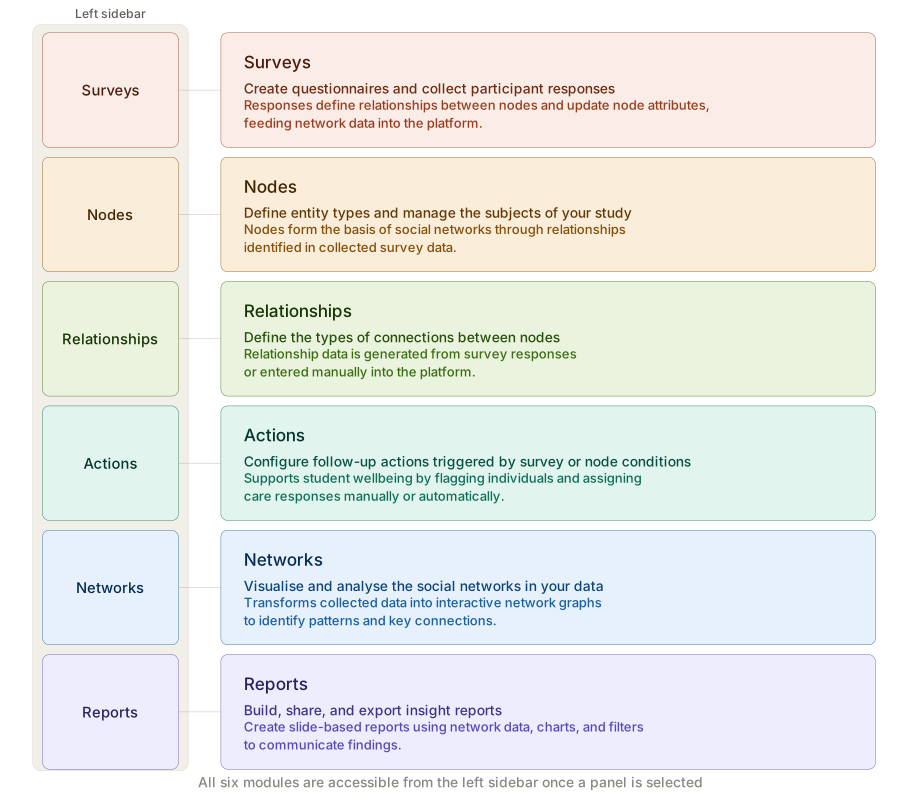
Once a panel is selected, all six system modules are accessible from the left sidebar. Each module covers a distinct phase of the research workflow.
| Module | Purpose |
|---|---|
| Surveys | Create questionnaires and collect participant responses |
| Nodes | Define entity types and manage the subjects of your study |
| Relationships | Define the types of connections between nodes |
| Networks | Visualise and analyse the social networks in your data |
| Reports | Build, share, and export insight reports |
| Actions | Configure automated actions triggered by survey or node conditions |
Build your data structure — node types and relationship types — before creating surveys. Surveys generate the relational data that feeds Networks and Reports.
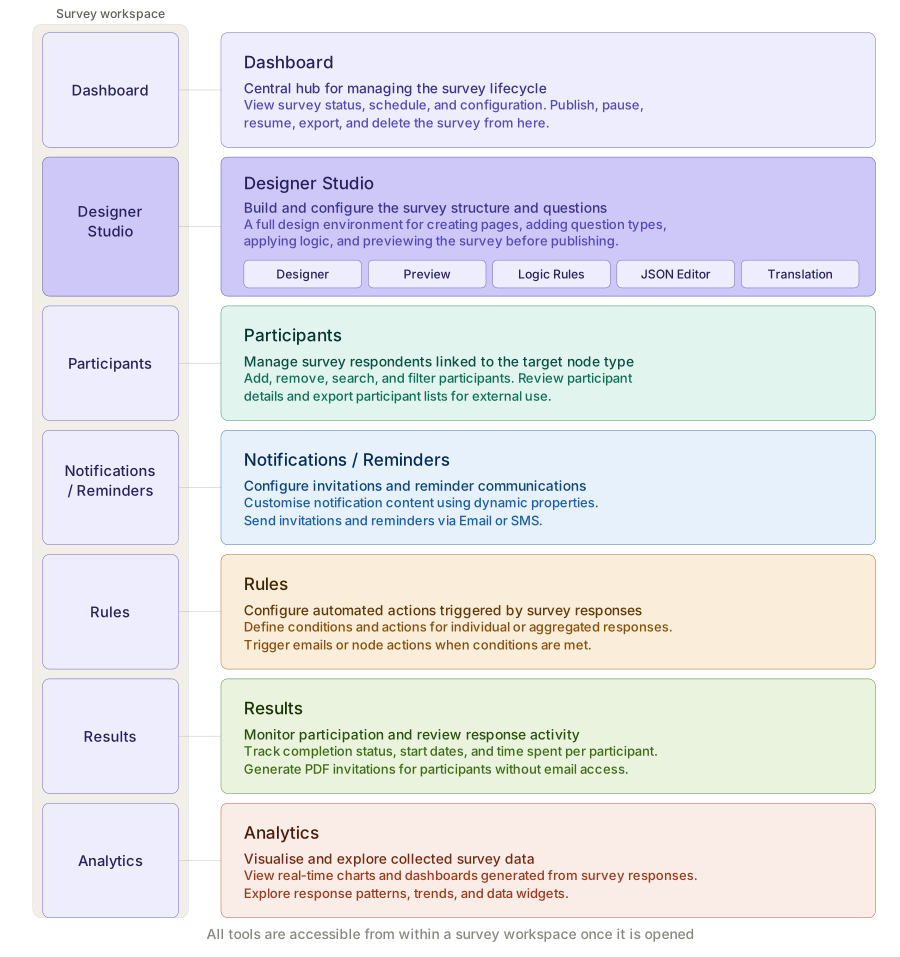
Survey Workspace tools
Opening a survey workspace gives you access to a dedicated set of tools for managing the full survey lifecycle.
Report Workspace tools
Opening a report workspace provides a slide-based design environment for building and sharing reports.